Google Gemini AI Tutorial: How to Use Gemini for Work, Research, Marketing and Productivity
Artificial intelligence is changing the way people work, learn, research, and create. From writing emails and looking at data to doing research and building simple apps, AI tools are now part of everyday work life.
One of the tools leading this change is Google Gemini AI.
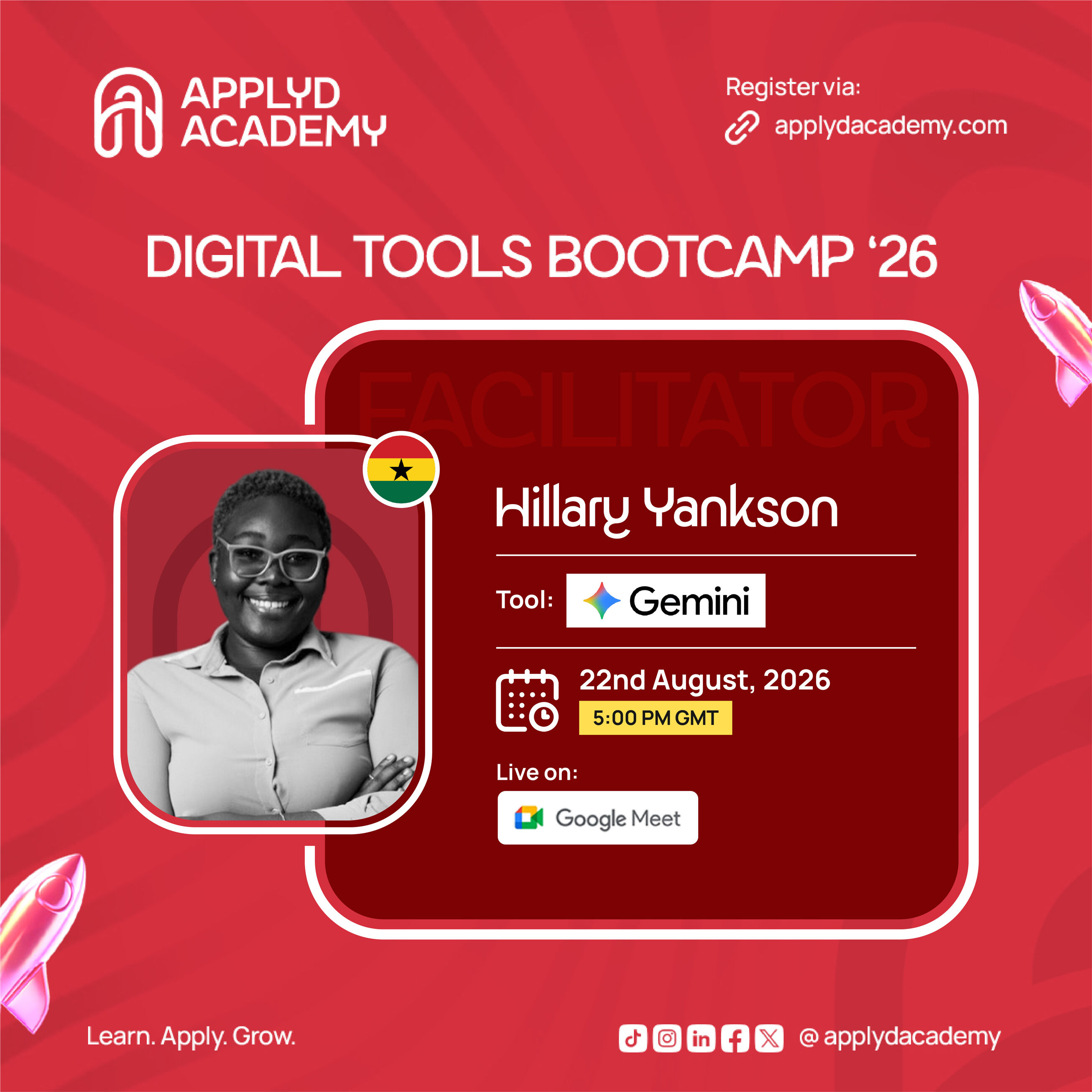
In a recent ApplyD Academy training session, digital marketing expert Hillary Yankson shared simple ways that professionals, students, marketers, business owners, and beginners can use Google Gemini to improve their daily work.
The session also looked at two other Google AI tools, Google AI Studio and NotebookLM, which help people build apps, do research, and learn in a better way.
What Is Google Gemini AI?
Google Gemini is Google's AI assistant. It helps users with writing, research, planning, brainstorming, content creation and analysis.
It can understand different kinds of information, including text, images, audio and video. This is why it is called a multimodal AI tool.
For working professionals, this means Gemini is more than a simple chatbot. It can act like an assistant that helps at every stage of a task.
For example, a digital marketer can use Gemini to:
- Study a target audience
- Come up with campaign ideas
- Look at marketing information
- Create content ideas
- Write emails
- Study competitors
- Think through advertising ideas
- Sum up reports
- Look at data
- Build campaign plans
Why Should You Use Google Gemini?
There are many AI tools today, such as ChatGPT, Claude, and DeepSeek. So why should someone add Gemini to their list of tools?
- Gemini works with many types of information
Gemini can work with more than just text. Depending on the features and model you have, you can use text, images, audio and video.
This makes it useful for tasks that need more than a simple written answer. For example, you can give Gemini information about a campaign and ask it to help you study it, think of ideas, or build a strategy.
- Google Search gives Gemini strong access to information
One big advantage of Gemini is its link to Google's wide information network.
When you need current information, an AI tool that can check the web is very useful for research and decision making.
For example, a marketer studying a fashion campaign can ask Gemini to find related campaign examples, trends or facts about a certain audience.
Even so, information from AI should always be checked against trusted sources before it is used for important decisions.
- Gemini can handle a lot of background information
Background information, also called context, matters a lot when using AI.
Instead of simply telling an AI tool:
Create an advertising campaign.
You can give details about:
- The brand
- The target audience
- The campaign goal
- Customer problems
- Budget
- Product
- Market
- What result you want
The more useful detail you give, the more useful the answer will be.
- Gemini works across Google's tools
Another strong point is that Gemini is built into many Google tools.
Depending on your account, you may find Gemini features inside:
- Gmail
- Google Docs
- Google Sheets
- Google Slides
- Google Meet
- Chrome
This can cut down the need to move information from one app to another.
How to Write Better Prompts for Google Gemini
One of the biggest lessons from the training was simple: better background information leads to better AI answers.
Many beginners give AI short, unclear instructions and then feel let down by the result.
For example, a weak instruction would be:
Create a marketing campaign.
A better instruction would be:
Create a digital advertising campaign for a fashion brand for people aged 25 to 40 who like fashion, culture, music and food. The campaign should build brand awareness and increase sales. Point out the audience's main problems, suggest good advertising channels, and build campaign messaging.
The second instruction gives Gemini much more to work with.
Treat AI Like a Conversation
You do not have to accept the first answer Gemini gives you. You can keep the conversation going and improve the answer.
For example, you can say:
- Make it shorter.
- Give me five other options.
- Make the tone more professional.
- Go deeper.
- Give me examples.
- Turn this into a presentation.
- Make this easy for beginners.
- Add numbers and sources.
- Rewrite this for social media.
This step by step method can help you turn a basic AI answer into something much closer to what you actually need.
Using Gemini for Digital Marketing
Marketers can use AI at every stage of the marketing process.
For example, say you are launching a new product. You can use Gemini to study the market, understand the target audience, think through campaign ideas and build content ideas.
You can also ask it to help with:
Campaign research Use AI to find trends, competitors, audience interests and past campaign examples.
Content creation Gemini can help you think of:
- Social media posts
- Blog topics
- Video ideas
- Advertising copy
- Email campaigns
- Headlines
- Calls to action
Audience research You can give details about your audience and ask Gemini to find possible needs, problems and messaging angles.
Campaign analysis AI tools can also study marketing data, especially when the data is organized in spreadsheets.
AI does not replace marketing strategy or human judgment, but it can save time on research and repeated tasks.
Gemini for Everyday Work
Google Gemini can also help with everyday work tasks.
Writing and improving emails Instead of spending a long time picking the right words, you can ask Gemini to help write or improve an email.
For example: Rewrite this email to sound professional, friendly and short.
You should still check the final message so it sounds like you.
Summarizing documents If you have a long report, document or conversation, AI can help you find the key points quickly. This saves time when you need to understand a lot of information fast.
Analyzing data Gemini can help study data, especially inside Google Sheets and other Google Workspace tools. You can ask questions about patterns, trends or parts of your data.
Even so, important business decisions should always be checked and reviewed by people.
Planning and organizing Gemini can also help create:
- Meeting agendas
- Project timelines
- Project outlines
- Task lists
- Brainstorming frameworks
- Follow up actions
This makes AI useful not only for creating content but also for staying organized and productive.
Gemini for Research
Research is another area where AI is very useful.
Gemini's research tools can help you explore topics, find information and organize your findings.
For students and professionals, this can make the early stage of research much faster.
Even so, AI should be treated as a research helper, not the final source of truth. Always check important facts, numbers, citations and claims using trusted, original sources.
Google AI Studio: Build Apps Without Being a Traditional Developer
One of the most interesting tools discussed in the training was Google AI Studio.
Google AI Studio gives you a space to try out Google's AI models and build AI powered apps.
You do not need to be an experienced software developer to start trying out AI powered ideas. With clear instructions and a good idea of what you want, AI can help turn that idea into a working sample.
For example, you could try building:
- Websites
- Landing pages
- Productivity tools
- Business apps
- Marketing dashboards
- Internal tools
For digital marketers, this opens up new options. Imagine building a simple dashboard that brings campaign data from different marketing channels into one place. Instead of waiting for a developer to build a basic sample, a marketer with some AI and no code knowledge can start experimenting on their own.
NotebookLM: A Useful AI Tool for Students and Researchers
Another Google AI tool covered in the session was NotebookLM.
NotebookLM is especially useful when you have your own source material and want to work with it using AI.
You can upload source material such as documents, PDFs and other files to explore and understand the content.
For students, this can be very helpful. Instead of reading through a lot of material again and again, you can use NotebookLM to create study tools such as:
- Summaries
- Questions
- Flashcards
- Quizzes
- Mind maps
- Audio overviews
- Study materials
How Students Can Use NotebookLM
Say you are getting ready for an exam. You can upload your study material and use NotebookLM to help you understand it.
You could ask it to:
Create 20 multiple choice questions based only on these study materials.
You can then use the questions to test what you know. You can also ask it to point out hard topics and explain them in simpler words.
This turns reading from a passive activity into an active learning experience.
AI Privacy: What Should You Put Into Gemini?
AI privacy matters a lot, especially for people who work with private information.
During the session, someone asked an important question about using Gemini with private company and client information.
The simple lesson is this: do not put sensitive or private information into an AI tool unless you fully understand the privacy rules, terms and your company's own policies.
Even when an AI company offers privacy and security protection, you should still avoid sharing private information you do not need to share.
For example, instead of typing in:
- Client names
- Personal identification details
- Passwords
- Private business information
- Financial records
- Private customer information
you can remove or hide sensitive details where possible.
Also remember to protect your AI account. If someone gets access to your account without permission, the information stored in your AI conversations could be exposed.
Free vs Paid Gemini
Another question from the session was about the difference between the free and paid versions of Gemini.
The free version gives you access to useful AI features, but paid plans may offer higher limits, more models, extra features and wider access across Google's AI tools.
The exact features and limits can change over time, so check Google's current plan details before you subscribe.
For beginners, the free version is a good place to start learning how AI works. Once your workload grows or you need more advanced features, you can decide if a paid plan is worth the cost.
AI Is Not Just for Developers
One of the biggest lessons from this session is that AI is becoming easy to use for people in many different jobs.
You do not need to be a programmer to gain from AI.
- A digital marketer can use AI for campaigns.
- A student can use AI for studying.
- A business owner can use AI for planning.
- A freelancer can use AI to work faster.
- A researcher can use AI to organize information.
- A content creator can use AI for new ideas.
- A business owner can use AI to study information.
The key skill is learning how to talk clearly to these tools and knowing when human judgment is still needed.
Start Exploring AI Today
The AI world is changing fast. New models, features and apps keep appearing.
The best way to stay useful is not to just watch from the side. Start trying it yourself.
Pick one AI tool and learn how to use it well.
Try Gemini for your daily work.
Use NotebookLM to study or understand your documents.
Explore Google AI Studio and see what you can build.
Try different instructions.
Check your results.
Confirm important information.
Most of all, do not be afraid to explore.
The future of work will not simply belong to people who know about AI. It will belong more and more to people who know how to use AI to solve real problems.
As Hillary Yankson said during the ApplyD Academy session: Explore and learn.
Final Thoughts
Google Gemini is more than a chatbot. Used well, it can support research, marketing, productivity, content creation, data analysis, planning and everyday work tasks.
Together with tools like Google AI Studio and NotebookLM, Google's AI tools give professionals, students, business owners and beginners new ways to work and learn.
But the goal should not be to let AI do everything for you.
The goal is to use AI to work smarter, think better and create more value.
Start with one task. Write better instructions. Give AI useful background information. Check the results. Keep learning.
Learn. Apply. Grow.
About ApplyD Academy
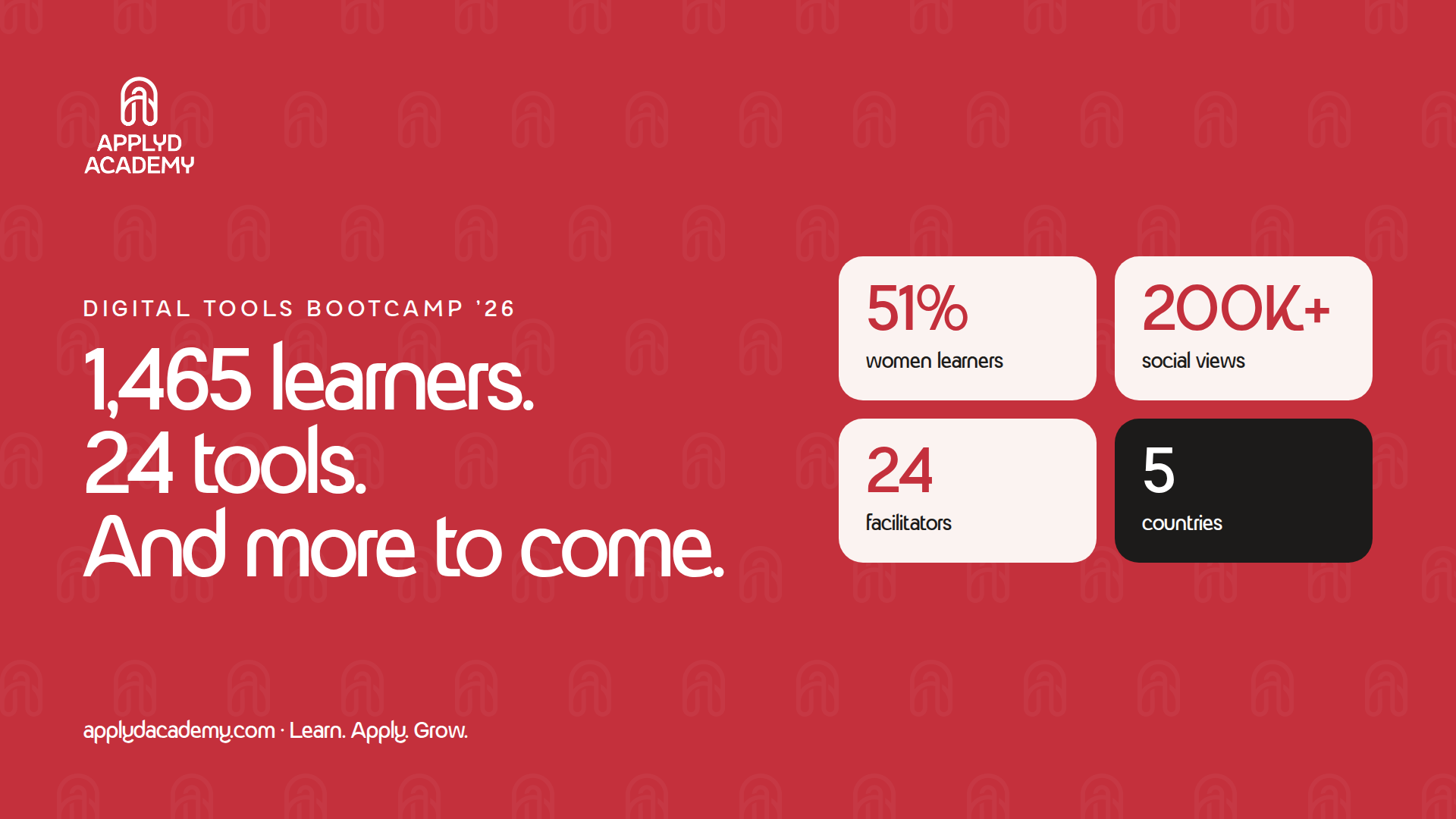
ApplyD Academy offers hands on digital skills training to help learners build career focused skills and feel more confident using modern digital tools.
Follow ApplyD Academy for more practical training on AI, digital marketing, productivity tools and in demand digital skills.